Saturday, February 23, 2013

Color/Light

Color Studies / Lighting

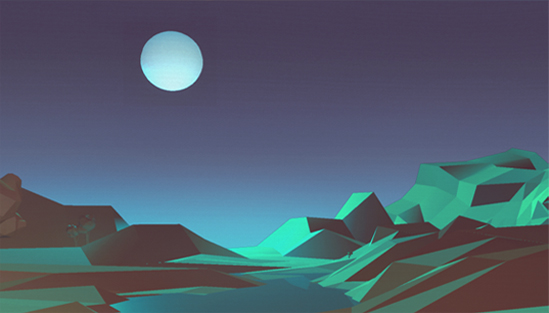
Uploading them to here compressed them like crazy, but the colors came out ok. Fun 30 min little exercises in maya. 


Sunday, November 4, 2012

Mountains


More world machine. I tried using a quad of 4 and tiled the mountains. Creates a much more continuous range. I used the blur too much (motion blur in WM)...it rounded out the mountains at the top.  I created these using a layout generator spline.

I feel good about the texturing process. This uses  1 texture set at 4096 that I brought down to 2048. 6k tris.

UDK

Maya/Paintover

WM test that I'm going to try and make next. *16 million here*

Thursday, November 1, 2012

Paint Update

It's been a while since I've updated. Been busy at work... good to get back and bust out some stuff.  An awesome Seattle sky sunset inspired this. For a side project. 

An alternate one I didnt really like as much so I stopped...


I then did some 20 min quick study of one of my favorites by: http://davidsketch.blogspot.com/


Wednesday, June 27, 2012

More terrain. Resolution fights.


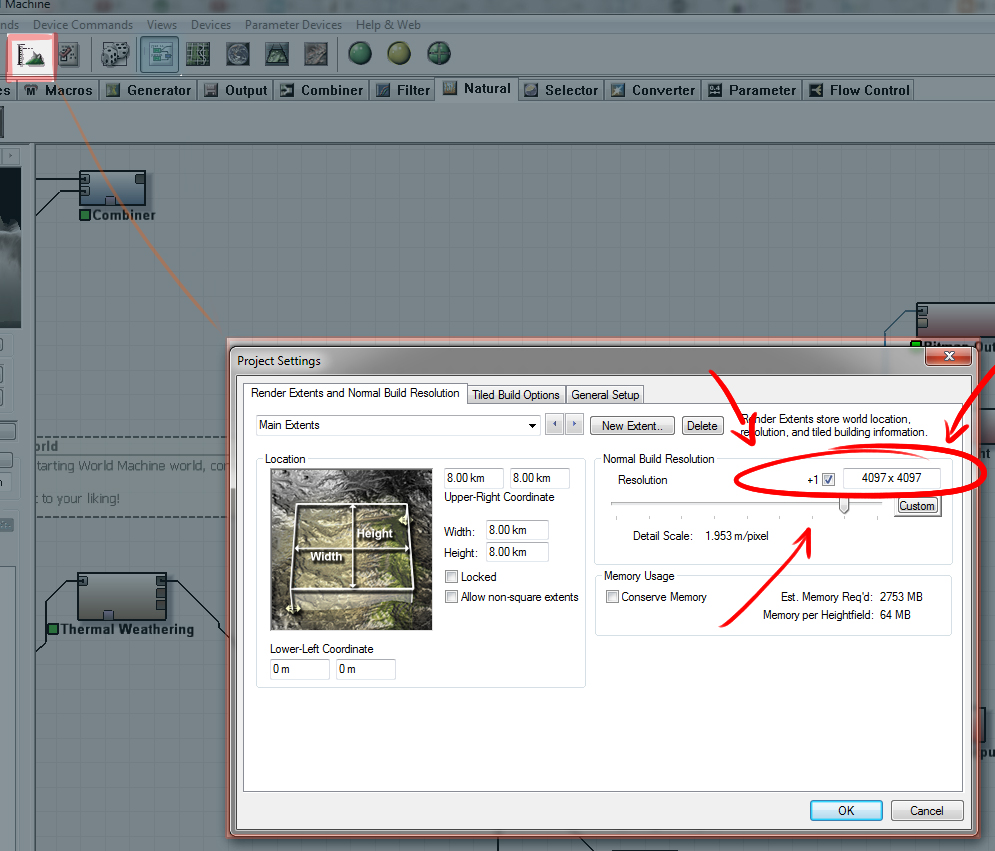
I've spent a lot of time in world machine lately. Tonight I did some sanity checks to see how much detail actually comes through in the end real time model between 2048x2048 and 4096x4096 in WM. In world machine, you can set the resolution of your mesh in the settings box (see image). There is a pretty big time difference so it was worth exploring.

I found that, generally speaking, I preferred the higher res one and it was worth my time investment. Keep in mind, a 4096x4096 res out of world machine will output a 16.7 million poly model. So have a plan for shrinking that down, or use the heightmaps and rebuild in mudbox.

 (NOTE: I actually just import the model straight into Mudbox and rebuild from 16 million down to a target resolution...)

(NOTE2: If you use Chocos method of using the height map, then you could probably just render at 8k in WM, since the polycount wont matter at all. Just render it over night, because it will take a while)

Here is a small sample of the extra detail added. 
Now there are a ton of ways to get more detail, I'm sure of it. This is just a test I figured I'd share with people. Along with some screenshots. Default night sky in UDK.


More later I'm sure.  I've been having too much fun with this stuff.


Monday, June 11, 2012

Side project: mountains

Some work for a small side project I've been working on at home.

Worldmachine, UDK and Photoshop.

Friday, May 18, 2012

FuturePoly course 2


While teaching the last FuturePoly class on sky textures, I made the above sky swatch. 

Thursday, May 3, 2012

Terrain, World Machine, Sky

Experiments in creating landscapes.

So, for a while now I've been wanting to create interesting landscapes to go along with my skybox/dome textures. I have experience in Terragen 2 but I dont particularly like it much. I checked out World Machine a while back but didnt really have the PC nor the time to really devote to it.  Now with this 12 thread 32gig system...I feel more adequately equipped :)

I checked out Choco's tutorials over at Polycount and liked what I saw.  I decided I would give the whole process a go. I ended up changing some things up to get a little more detail in my mesh... I think there is something wrong with my copy of mudbox... I need more investigation.

My intention is to eventually use these terrain in my paintings/concepts/mattes.   Here is some rough work from the evening. Sky is a default unreal sky texture. You just have to hunt for it. (It is actually pretty good!...kudos!)


I am a little backlogged on blog posts. I have 2 or 3 I need to get out... including some more HDR sky painting experiments and one on physical based lighting.